Up to 75% Off Saree Sale
Shop and save up to 75% on Saree Sale at Talash.com.
Terms and conditions
- Selected styles only.
- Available while stock lasts.


Shop and save up to 75% on Saree Sale at Talash.com.
Terms and conditions
Shop and receive free shipping on selected orders at Talash.com.
Terms and conditions
Shop and save 67% on Black Color Crepe Kurti at Talash.com.
Terms and conditions
Sign Up To The Newsletter For Special Offers and Promotions.
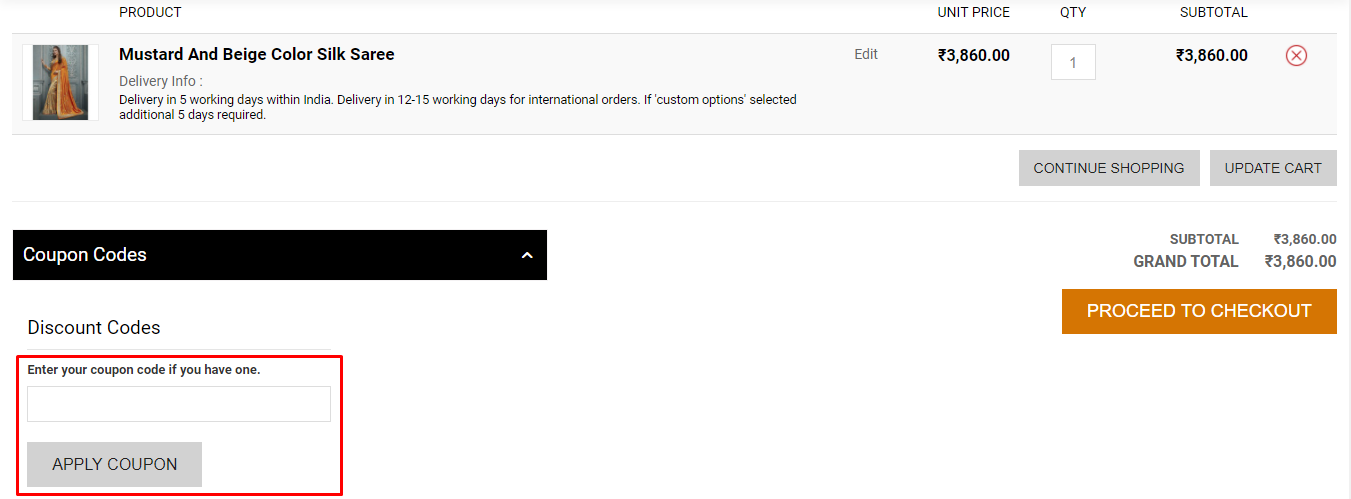
Here are some great tips & tricks for extra savings at Talash.com:
Talash.com accepts VISA, Mastercard, American Express, Diners Club, Maestro and PayPal.
Talash.com delivers to Worldwide.
Once the order has been paid for, you will receive an Order Receipt on your email id. If you don’t find the Order Receipt after your order is placed, check your spam box for the same.
Visit the ‘My Account’ section on Talash.com, log in with your account details and click on ‘Order History’. There you will find the ‘Proceed to Pay’ option for your pending orders. Click on the same and you shall be guided through the rest of the procedure.
On the Order Tracking Page, you can check the status of the refund. There are various statuses that appear on the page. Following is the description of each one of them: ‘Cancel’ Status: This means that your order has been cancelled. ‘Refund in Queue’ Status: This means that your refund amount is still in the queue. ‘Refunded’ Status: This means that the refund has been issued and shall reflect on your card/bank statement in 10 days.
Phone
+91-9227200566
support@talash.com


